Try the launcher
Use the interactive workbench to practice launching JustACalcBro AI and navigating its menus.
Open calculator demoAI-ENHANCED GRAPHING CALCULATORS
A modified TI-84 Plus C Silver Edition with Wi-Fi and AI on the calculator. Choose the camera-free Calc Core or the camera-equipped Calc Pro.
Manage notes, AI providers, and software updates from a browser on your network. The camera-equipped model also has camera calibration.
HARDWARE CATALOG
| Feature | Calc Core | Calc Pro |
|---|---|---|
| Calculator | TI-84 Plus C Silver Edition | TI-84 Plus C Silver Edition |
| ESP32-S3 and Wi-Fi | Included | Included |
| Integrated camera | None | Included |
INTERACTIVE DEMO
Launch JustACalcBro AI from the keypad. Wi-Fi networks, camera activity, and AI responses are simulated in your browser.
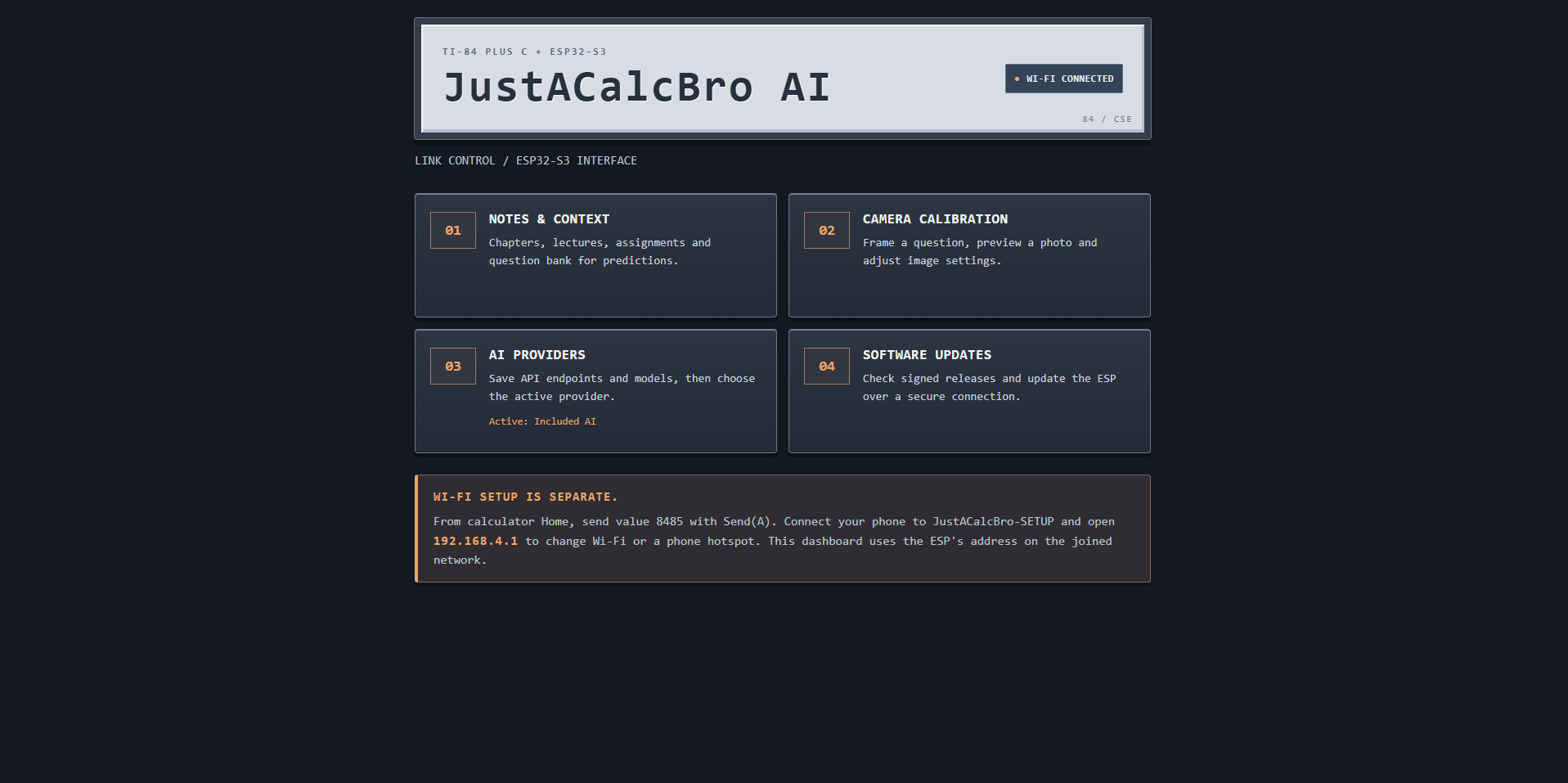
Open the dashboard from a phone or computer on the same Wi-Fi network as your calculator. Here’s what you’ll see on the camera-equipped model.
HELP CENTER
Find the calculator controls, compare the two configurations, and get help with getting started.
Use the interactive workbench to practice launching JustACalcBro AI and navigating its menus.
Open calculator demoPRODUCT HELP
Calc Pro includes an integrated camera. Calc Core is camera-free.
The demo uses sample responses and simulated camera controls. It runs entirely in your browser.
The shop is designed for guest checkout. There are no customer accounts.
See current prices and order availability in the shop.
HELP CENTER
SHOP